Navigate a workbook
This document provides guidance on how to navigate and use a workbook. For more information on structuring your workbooks and workbook lifecycle management, see Workbooks overview.
User requirements
- Users with Can view, Can explore or Can edit permissions can view and navigate workbooks in their published state, but will see different options depending on their individual permissions.
- Users need Can edit permission to edit a workbook.
Depending on your workbook permissions, some of the options below might not be available. See Workbook modes overview for more information on individual user permissions.
Navigate the published version of a workbook
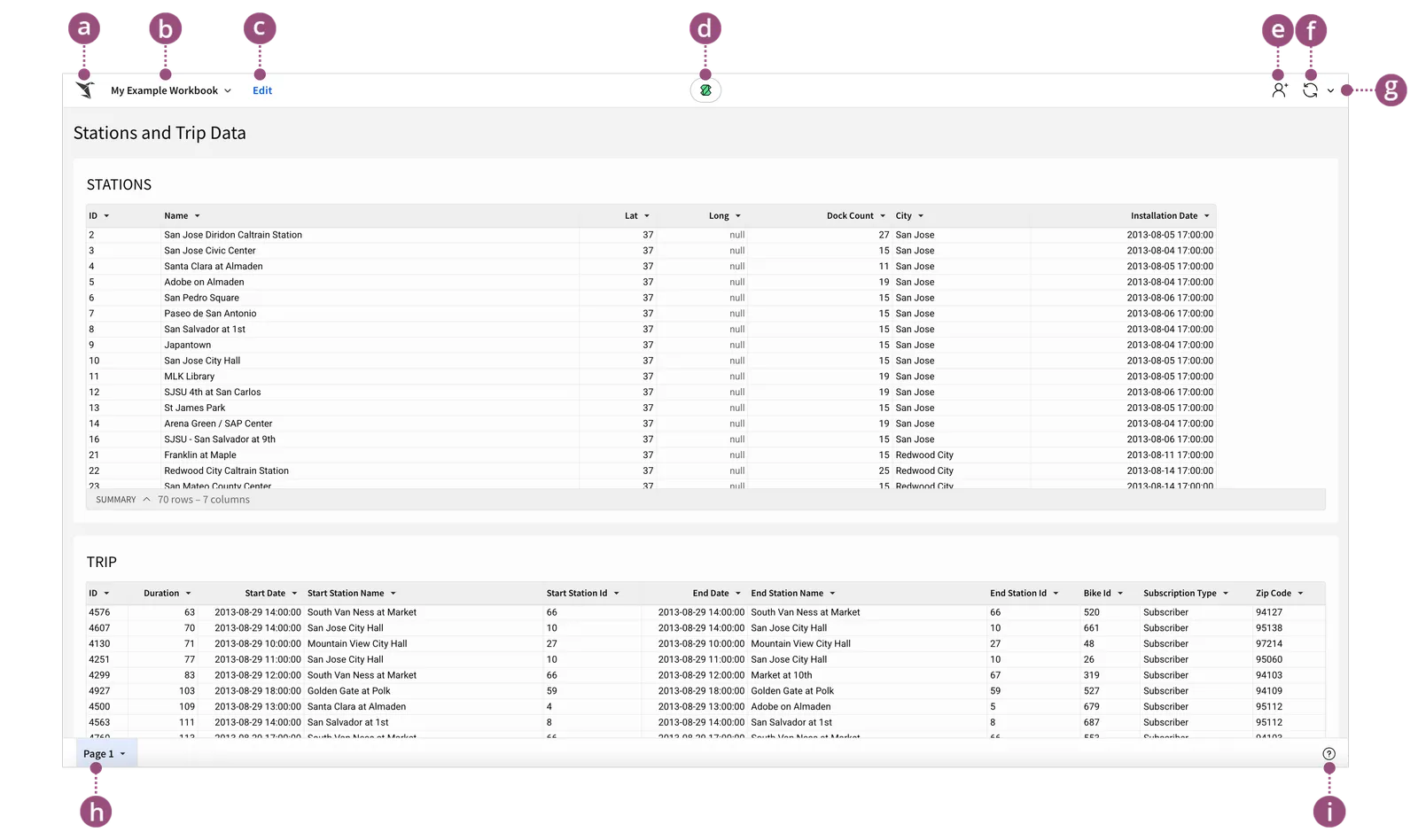
Navigating a published workbook allows you to view existing data and insights. Depending on your individual user permissions, you may also be able to modify or add new filters, refresh data, create your own custom and saved views.
The following options are available in a published workbook. Some may be unavailable depending on your permissions.
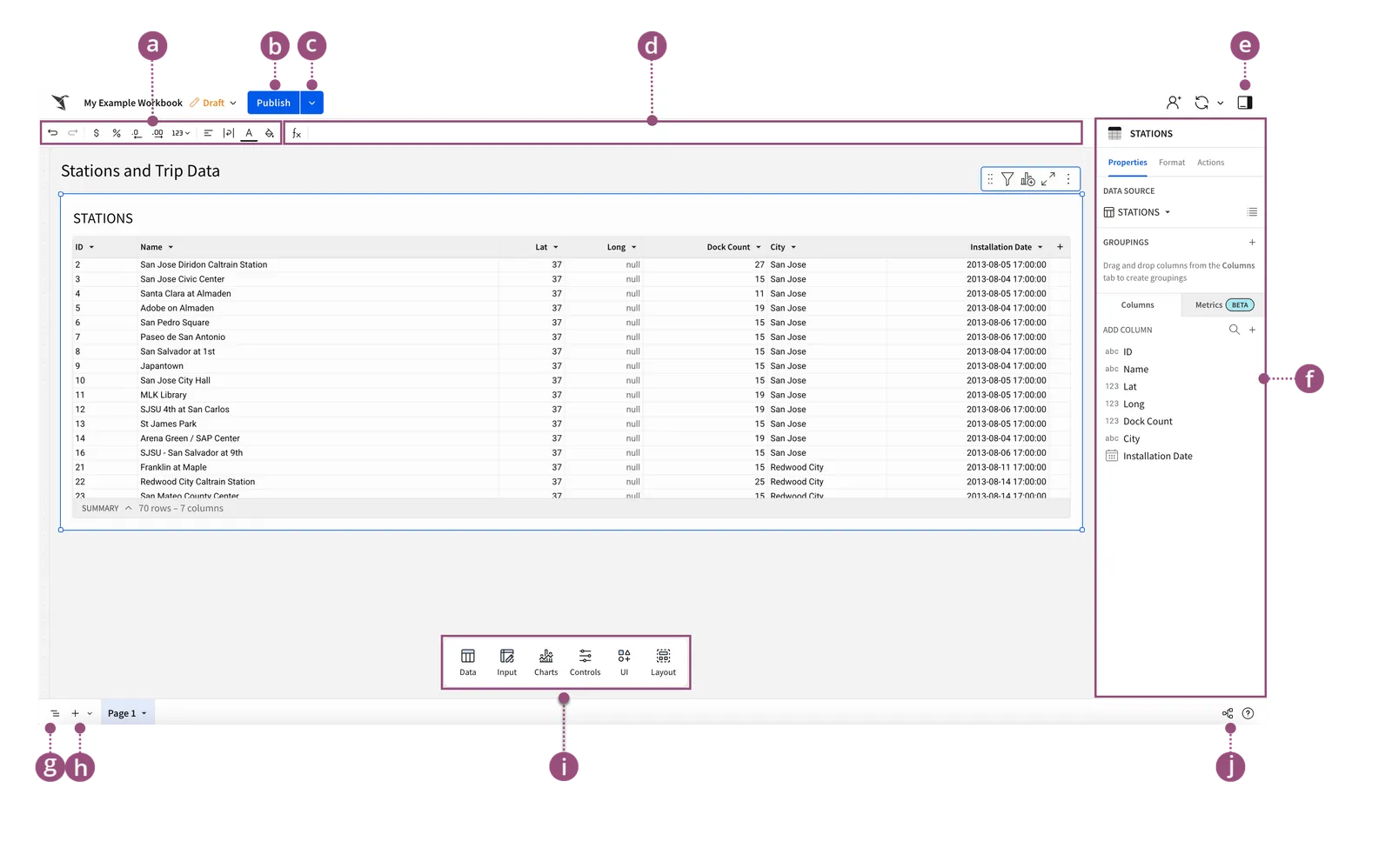
Navigate a workbook while editing
To build new workbooks, change existing ones or publish your changes, you need to edit a workbook. Users need Can edit permission to edit a workbook.
When editing a workbook, all the options available to you in the published version remain, but additional options are available: