CumulativeSum
The CumulativeSum function calculates the sum of the input column up to and including the current row value.
For a detailed video walkthrough that uses this function, see Advanced window functions.
Syntax
Function Arguments:
- [Column] (required) - The column of numbers to evaluate the cumulative sum.
Notes
- Cumulative functions depend on the order of the given column. If you change the sort order, the result in each row changes.
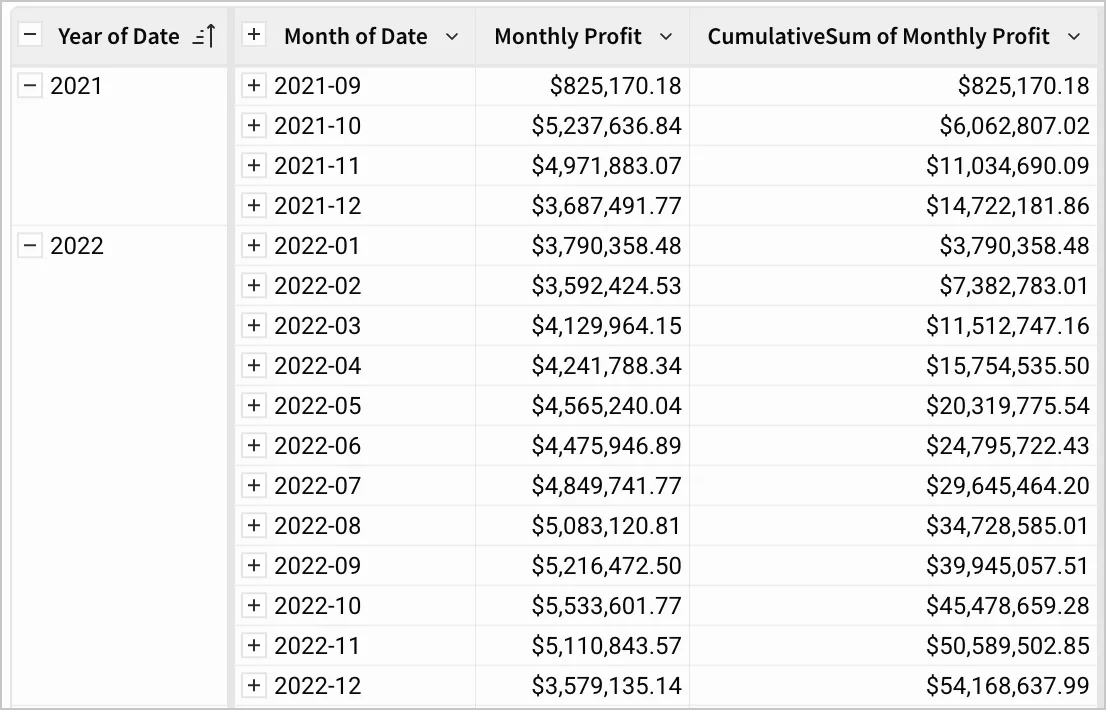
- When used in a grouped tabled, the function is applied to each grouping above the level of the cumulative sum independently. See the third example in Examples.
Examples
A table contains the quantity of items sold each day. The CumulativeSum function can be used to find the total quantity of items sold up to and including the current day. If Quantity contains values 2, 4, 6, 8, and 10, returns 2, 6, 12, 20, and 30 respectively when used in a calculated column.
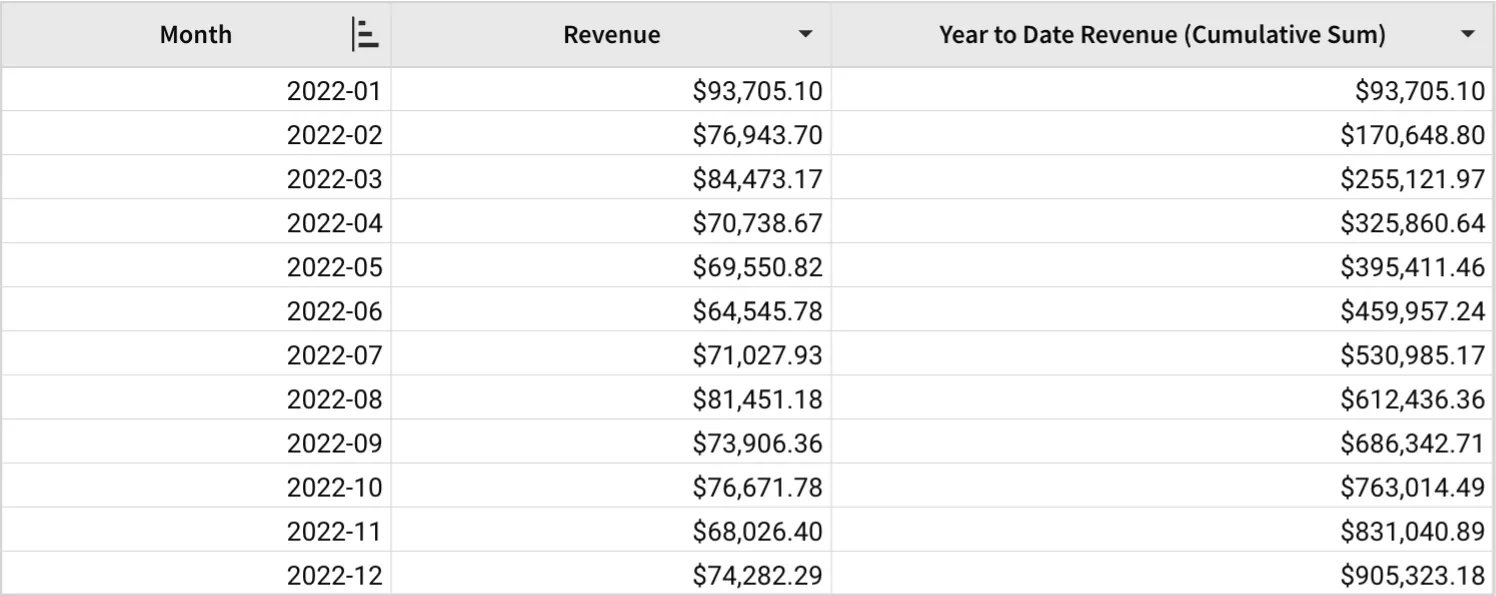
A table contains the monthly revenue of a store for the year 2022. The CumulativeSum function can be used to find the total yearly revenue up to and including that month.
A table contains the monthly profit of a store for the years 2021 and 2022. The CumulativeSum function can be used to find the total yearly profit up to and including that month. Because they are split into different groupings, the cumulative sum is calculated for each year independently.