

Register a Plugin with your Sigma Organization
Sigma supports plugin elements in workbooks. Plugins are third-party applications built to add additional functionality into an existing product. For example, a software developer in your organization may create a plugin that allows you to display your data in a chart type not otherwise supported in Sigma.
Organization members only have access to plugins registered with their organization.
Requirements
- To register a plugin, you must have either an Admin account type or a custom account type that supports plugin developer feature permissions.
- The plugin should be hosted; you need to provide a production URL.
Register a Plugin
- Open the Admin Portal.
- On the Account page, scroll to the Custom Plugins section.
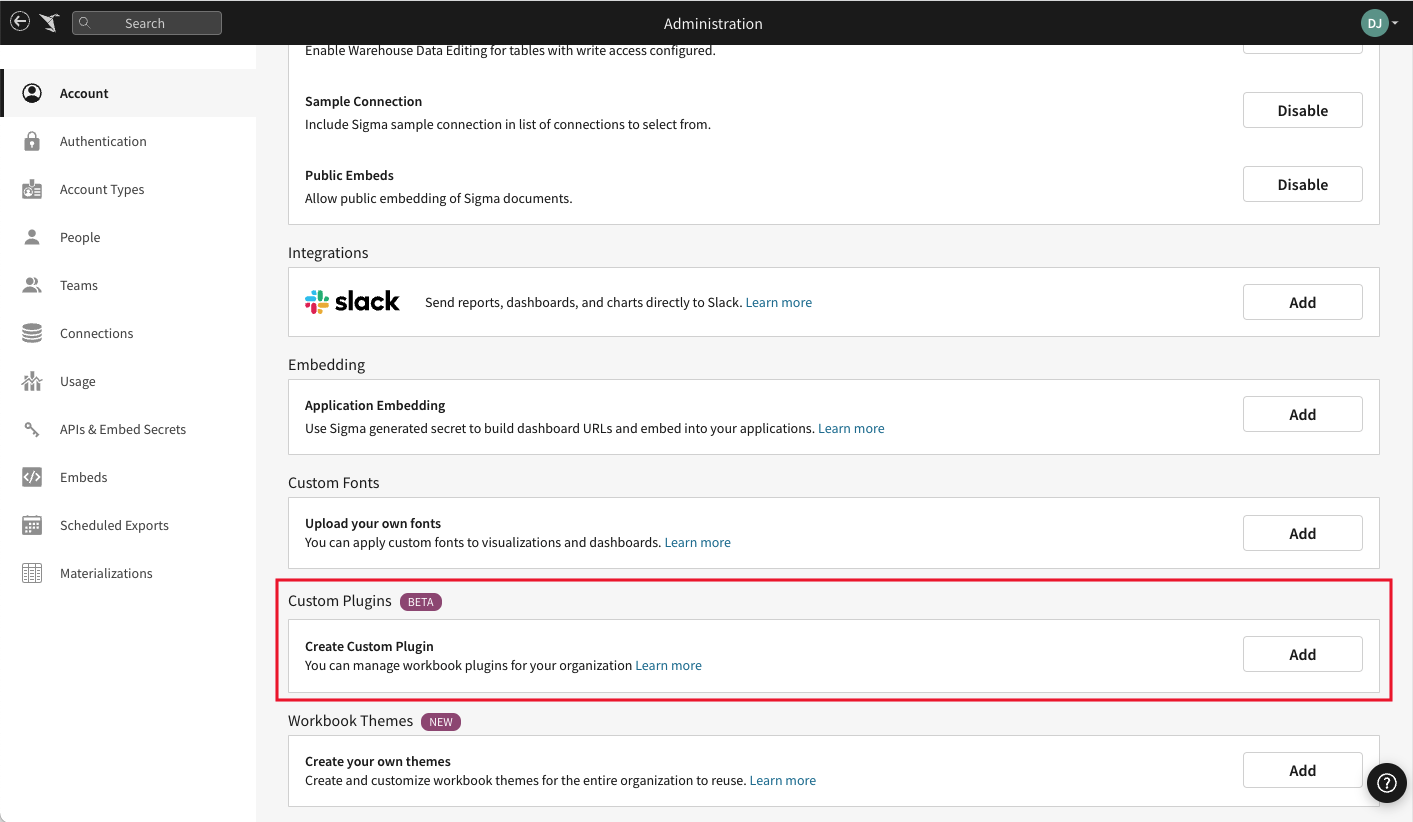
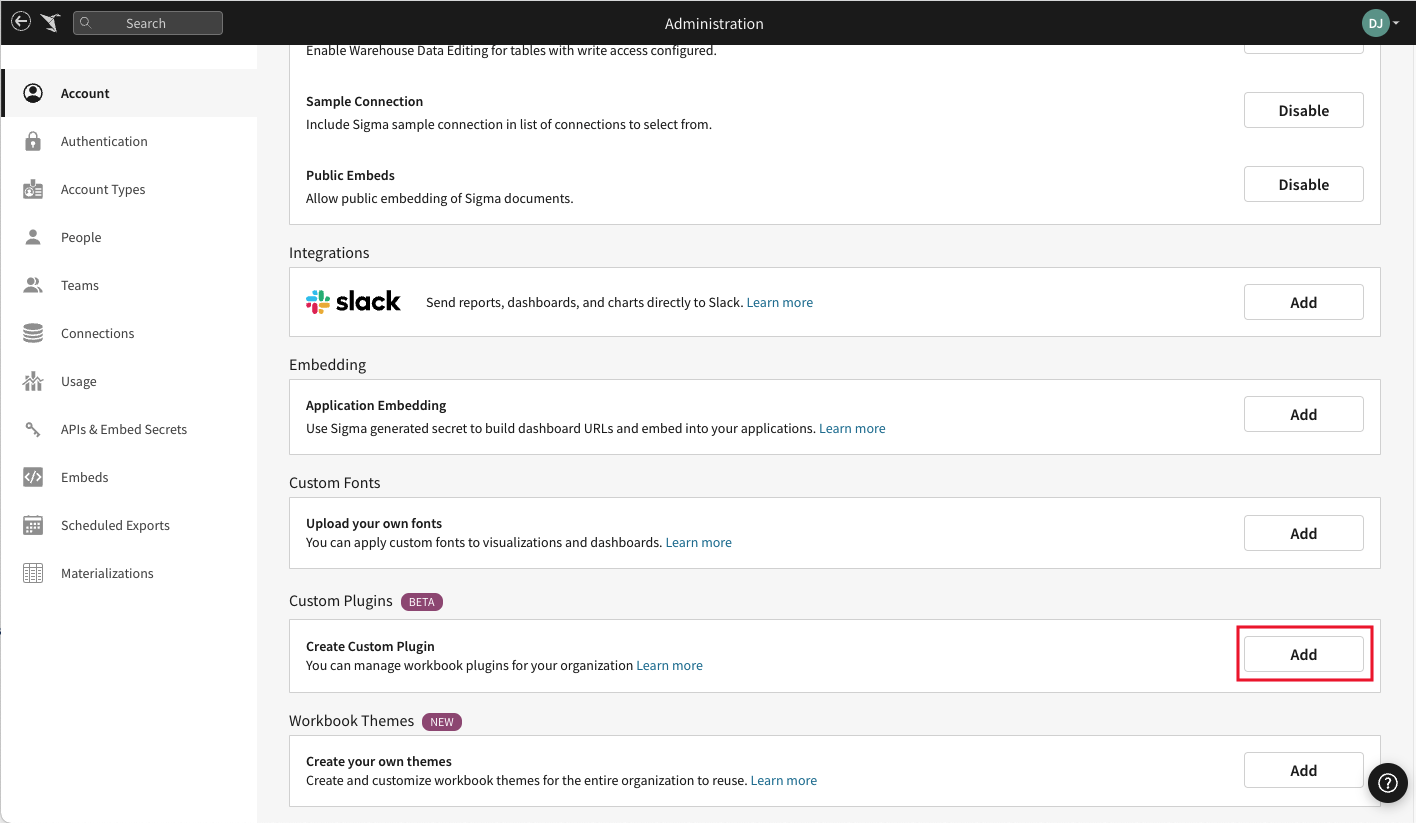
- Click the section’s Add button, to open the Create New Custom Plugin modal.
- Enter a plugin Name.
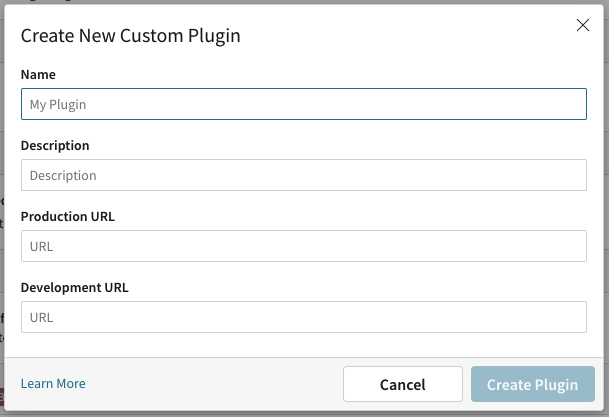
- [optional] Enter a Description.
- Enter the plugin’s Production URL, where the plugin is hosted.
- Enter the plugin’s Development URL. For more information see Develop Sigma Plugins.
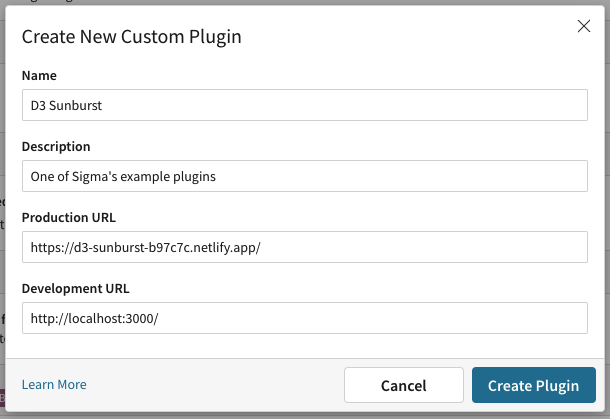
- Click Create Plugin.
- Test your registered plugin by adding a plugin element to any workbook.
Example Plugins
To see examples and run one locally, see Example plugins.