TextJoin
The TextJoin function combines multiple text strings into a single string, inserting a delimiter between each value.
Syntax
Function arguments:
Notes
- The delimiter is inserted only between values. It isn’t added before the first value or after the last value.
- All arguments must be text. To combine a value of another data type with text data, convert the value to text using quotation marks or the Text function, such as
Text([ID Number]). - A
nullvalue is treated as an empty string. The delimiter is still inserted on both sides of it, which produces consecutive delimiters in the output. - To combine strings without a delimiter, use the Concat function.
Examples
Returns 555-867-5309.
Returns Lincoln, , Abe. The Null value is treated as an empty string, so the delimiter is still inserted around it.
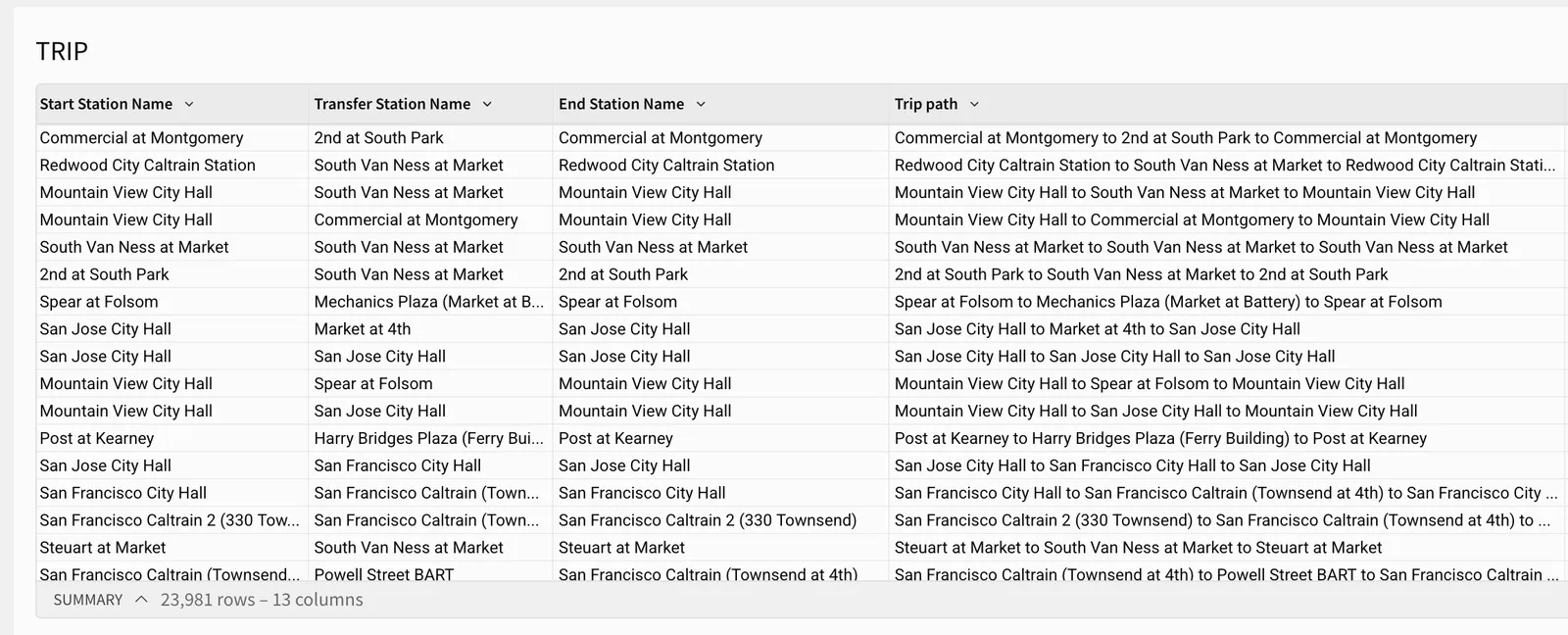
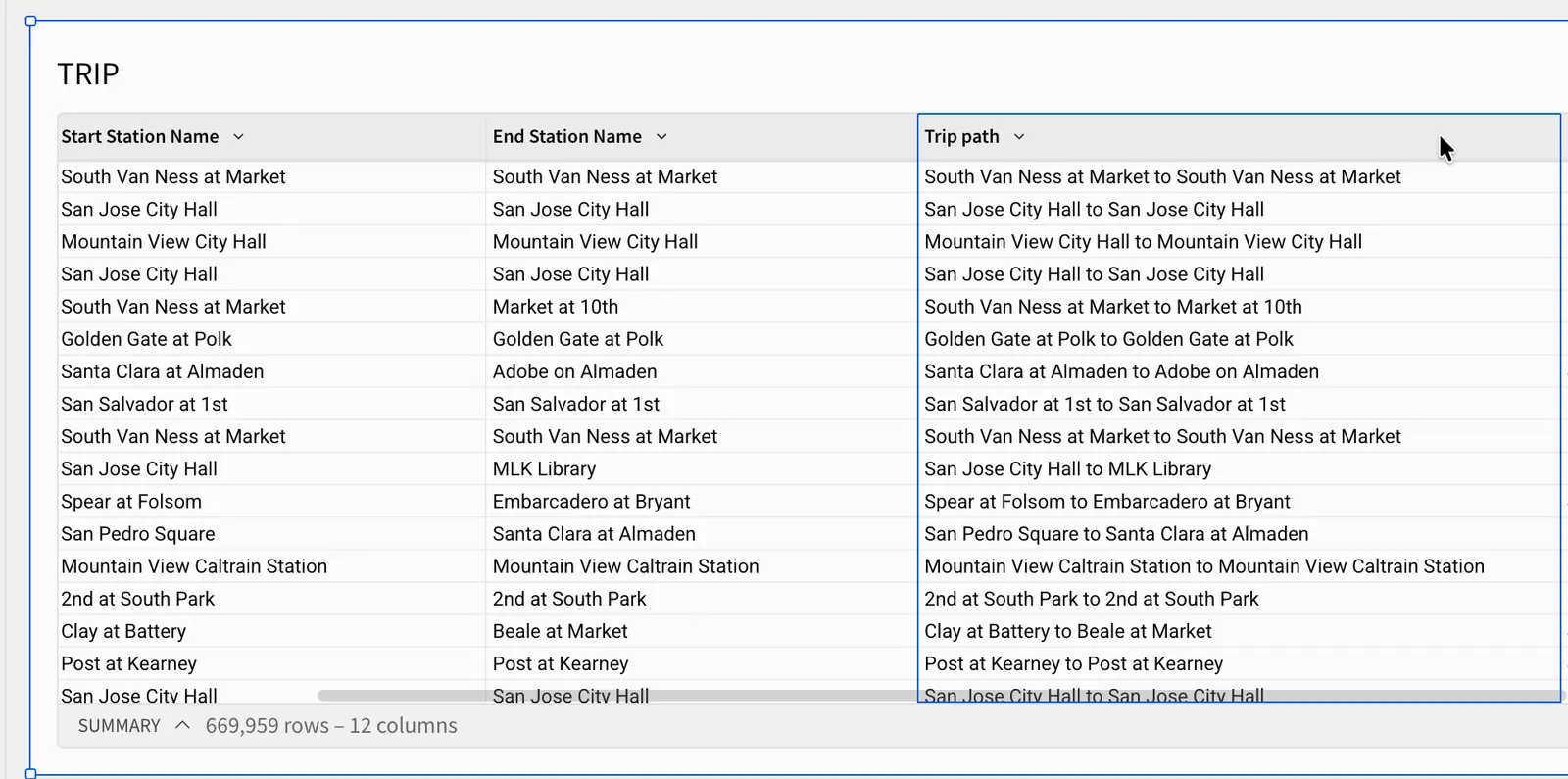
Returns the start and end station names joined by to, such as South Van Ness at Market to South Van Ness at Market.
Returns the three station names joined by to. Because the delimiter is specified only once, you can add stops to the sequence without repeating it.