LookupMatchNulls
The LookupMatchNulls function finds matching data inside a data element, either in the same table or in an external table. It works exactly like the Lookup function, except that it also matches rows where the join keys on both sides are null.
Lookup compares join keys for equality, and a null value is never equal to another null value. As a result, any row with a null join key returns no match. LookupMatchNulls treats two null join keys as a match, so those rows return a value instead.
To apply this function without directly using the formula bar, select Match null values in the Add Lookup modal. For more information, see Add columns through Lookup.
All elements must be on the same data connection.
Syntax
Function arguments:
Notes
- Because
nulljoin keys match each other, a local row with anullkey matches every row in the target element that also has anullkey. When the target element contains more than one row with anullvalue for the key, the match isn’t unique and returns Multiple values as a result. - When you apply an aggregate function to the formula argument, LookupMatchNulls behaves as a rollup and continues to match
nulljoin keys.
Examples
Match null values with one external key
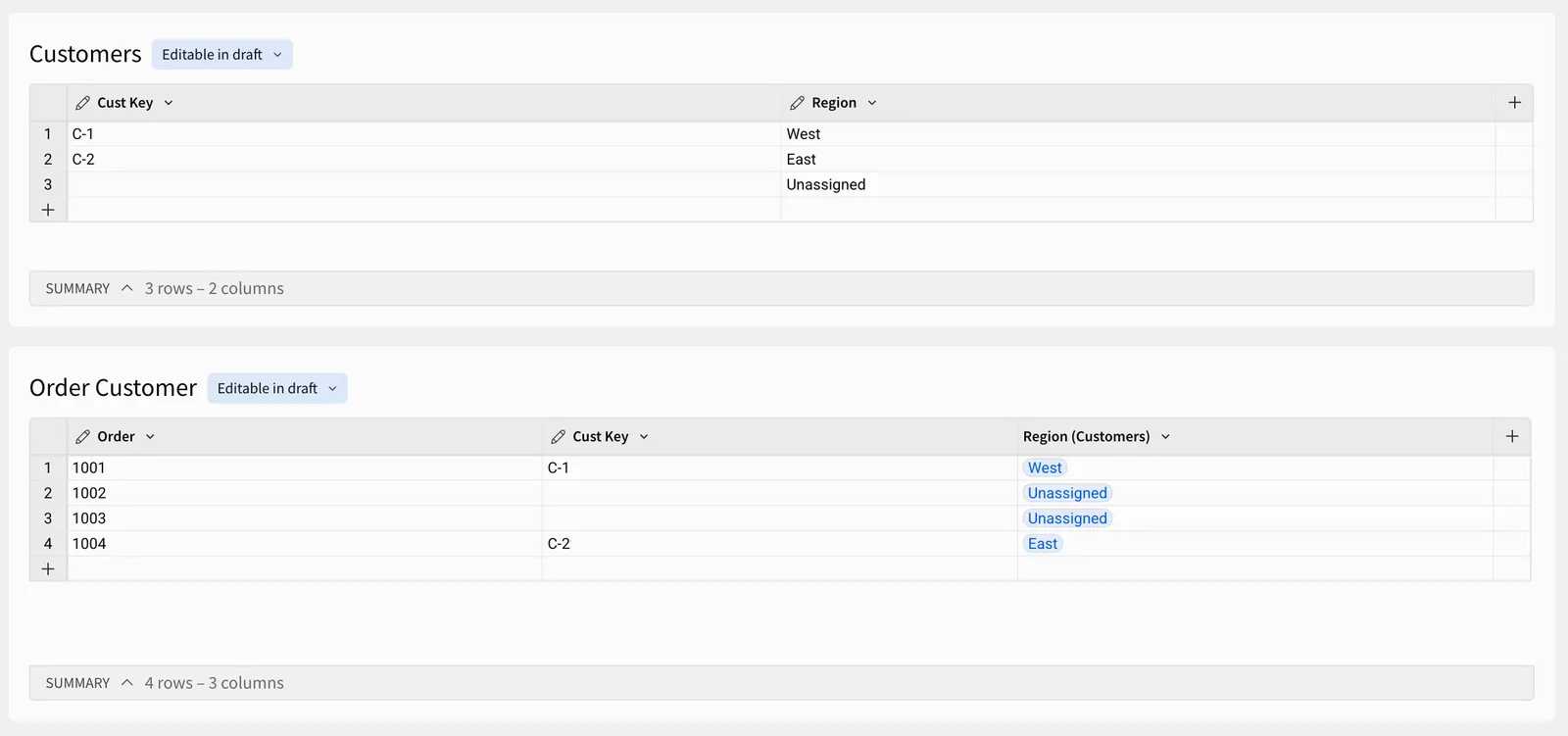
In this example, a table containing order data has customer data added onto it from the Customers table using a lookup. The two tables are joined using a single column (join key) from each table. In this case, both join keys are named [Cust Key].
The Customers table has one row with a null [Cust Key] value, which shows a region value of Unassigned. Orders 1002 and 1003 have null values for the [Cust Key] column, so both match that row and return Unassigned.
In formulas, reference columns from other tables with the [table name/] prefix (e.g. [Customers/Region]).
Match null values with two external keys
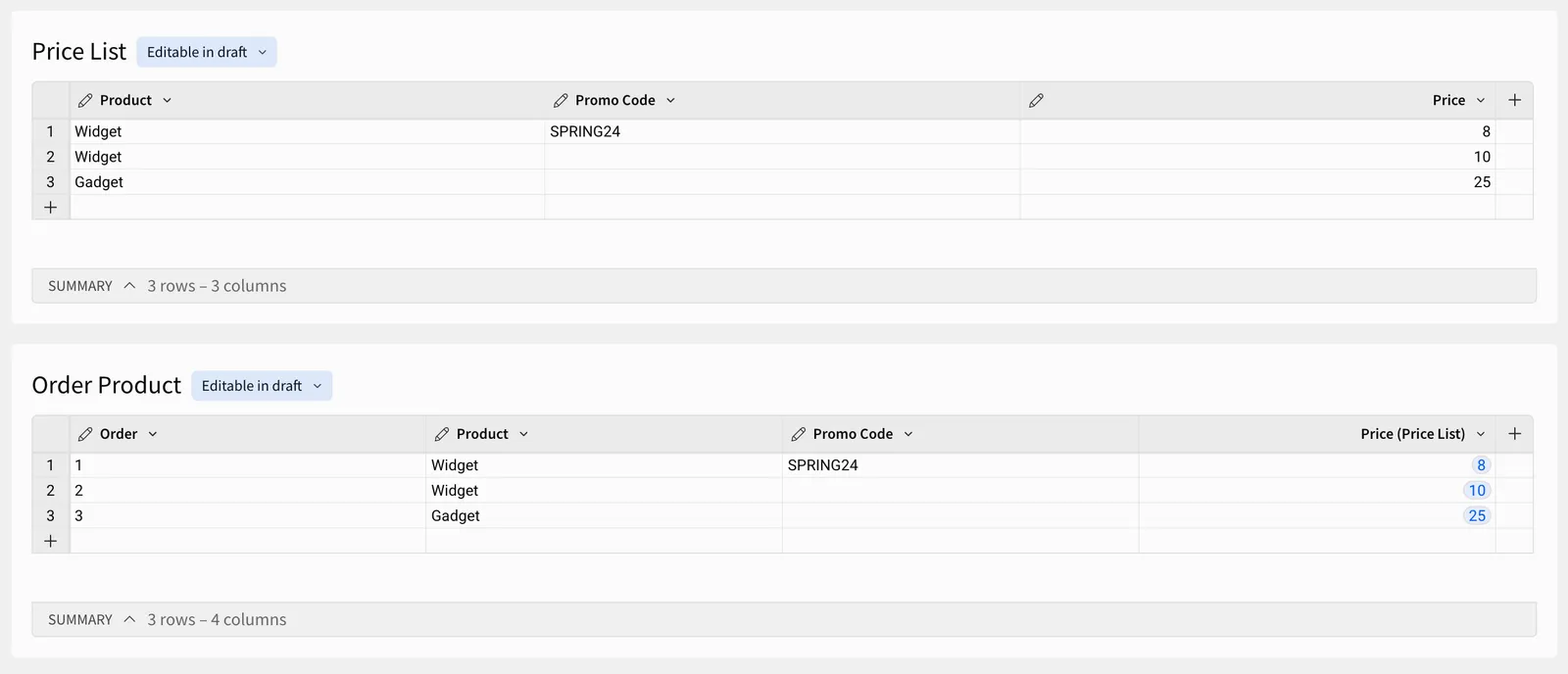
In this example, a table containing order data has price data added onto it from the Price List table using a lookup. The two tables are joined using two columns (join keys) from each table. In this case, the join keys are named [Product] and [Promo Code].
The Price List table has two rows with a null [Promo Code] value, which show the standard price for each product. Orders 2 and 3 have null values for the [Promo Code] column, so each one matches the row with the same [Product] value and returns that product’s standard price.