> For clean Markdown of any page, append .md to the page URL.
> For a complete documentation index, see https://help.sigmacomputing.com/llms.txt.
> For AI client integration (Claude Code, Cursor, etc.), connect to the MCP server at https://help.sigmacomputing.com/_mcp/server.

# ListAggDistinct

> Use the Sigma ListAggDistinct function to join multiple values from a column into a list (as a single text string).

The **ListAggDistinct** function joins multiple values from a column into a list (as a single [text](/docs/data-types-and-formats#text) string). Each window of values within the column is aggregated into an separate list.

The **ListAggDistinct** function is an aggregate function.

Aggregate functions evaluate one or more rows of data and return a single value.

In a table element, the aggregate is calculated for each grouping. For information on how to add a grouping with an aggregate calculation to a table, see [Group columns in a table](/docs/create-and-manage-tables#group-columns-in-a-table).

In a table with no groupings, the aggregate is calculated for each row. For information on how to calculate summary statistics across all rows in a table, see [Add summary statistics to a table](/docs/create-and-manage-tables#add-summary-statistics-to-a-table).

To learn more about using aggregate functions, see [Building complex formulas with grouped data](https://www.sigmacomputing.com/resources/training-videos/table-grouping-and-functions#complex-formulas).

## Usage

```
ListAggDistinct(value, [separator], [direction])
```

Function arguments:

|               |                                                                                                                                                                                                                   |
| :------------ | :---------------------------------------------------------------------------------------------------------------------------------------------------------------------------------------------------------------- |
| **column**    | (required) The column of values to be joined.                                                                                                                                                                     |
| **separator** | <p>(optional) The separator to add between values.</p><p>If no separator is specified, a comma is used.</p>                                                                                                       |
| **direction** | <p>(optional) The direction in which the list is sorted.</p><p>Can be `"asc"` (ascending order) or `"desc"` (descending order).</p><p>If no direction is specified, the values are sorted in ascending order.</p> |

## Examples

**Example 1:**

```
ListAggDistinct([Store Name])
```

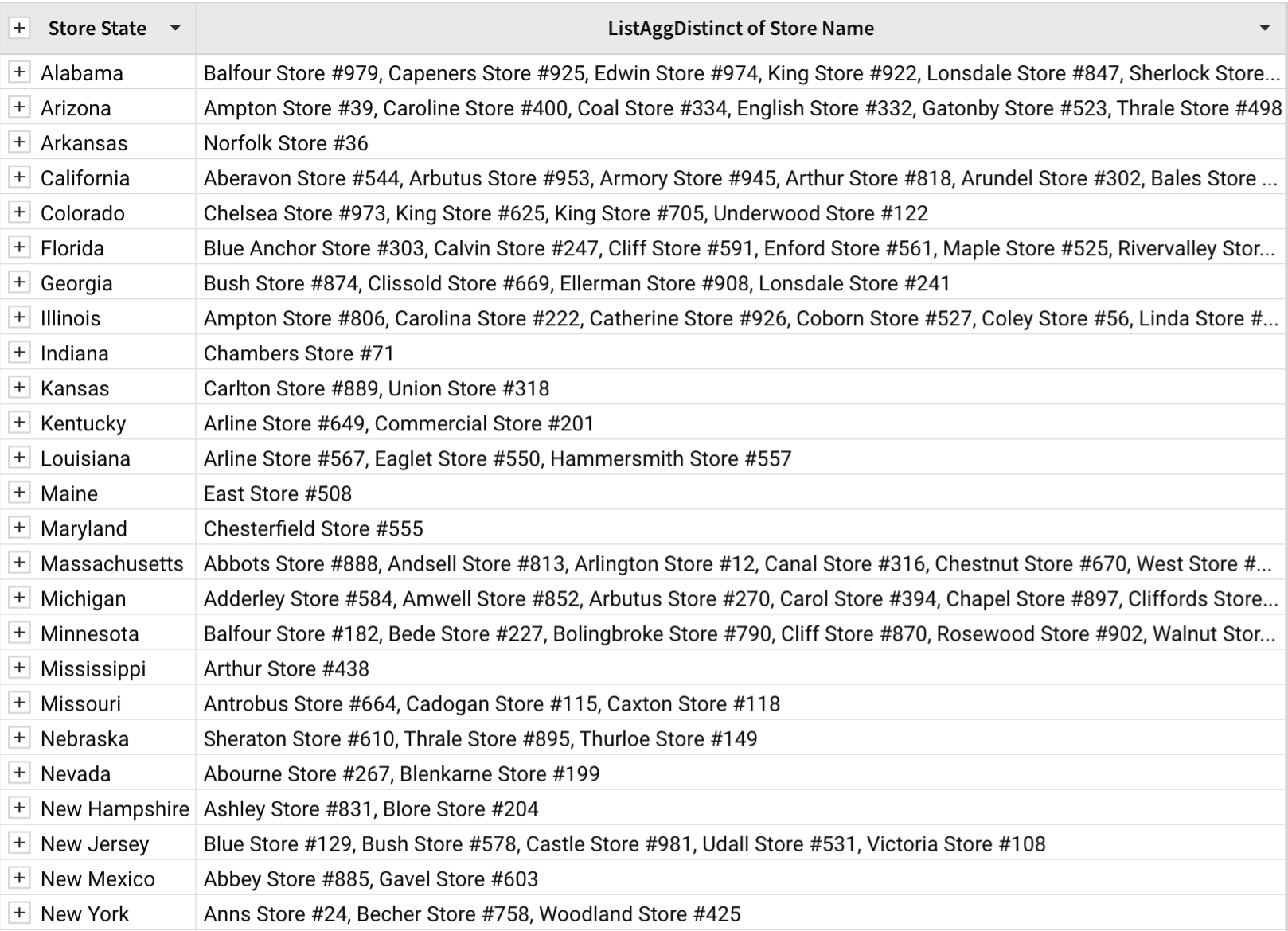
A table contains a grouped *Store State* column. Outside the grouping, there are orders for stores within the state. **ListAggDistinct** is used to return a list of distinct store names within each state. When neither the separator or direction is specified, the distinct values in the output are separated by a comma and sorted in ascending order.
![](https://files.buildwithfern.com/sigma.docs.buildwithfern.com/350a40a8636461630dedd3278fbd013fd615b79bb7201cfbf2630600d56b3507/assets/docs-images/4f43c66-11.png)

**Example 2:**

```
ListAggDistinct([Store Name], "-")
```

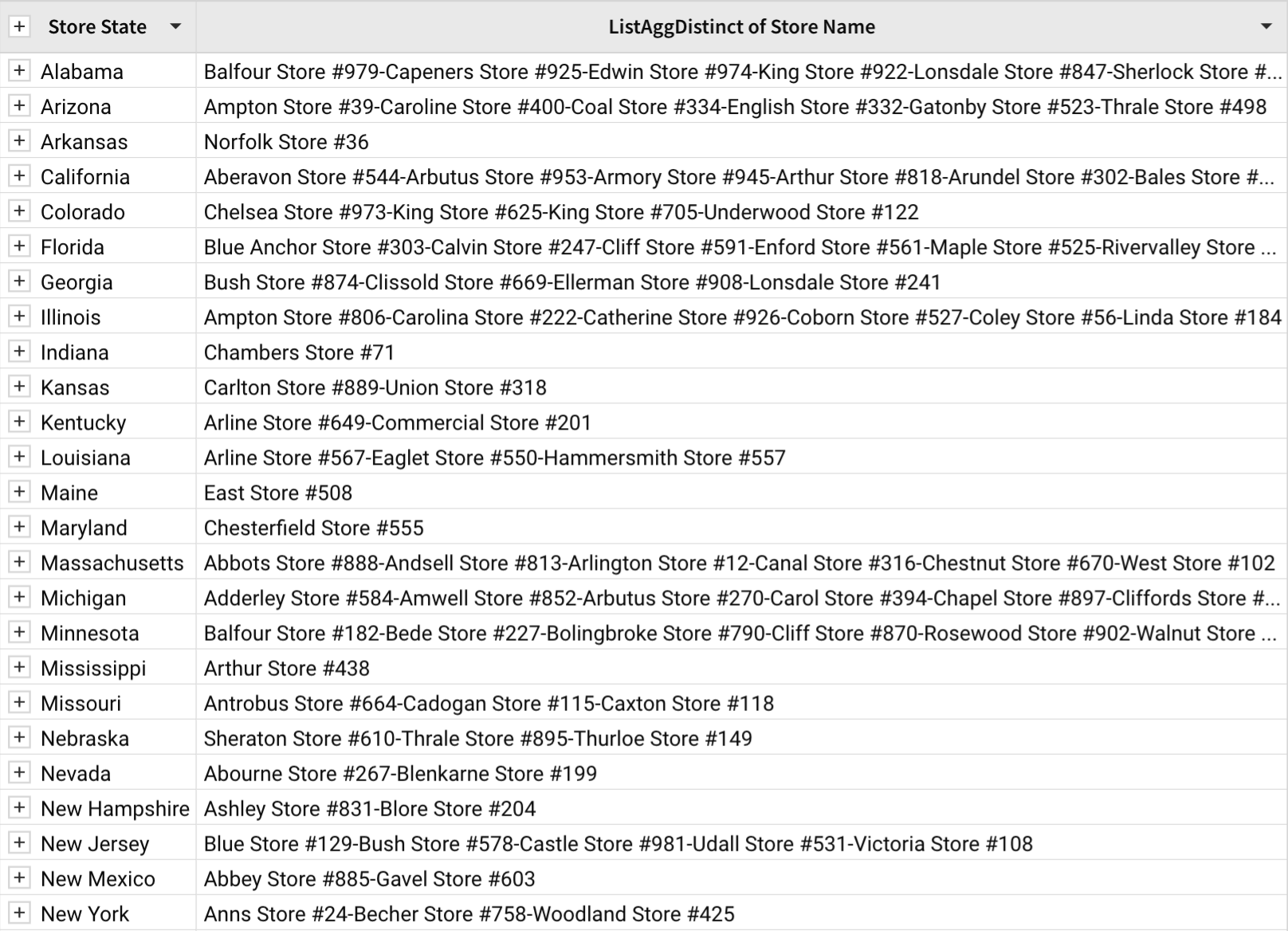
When a dash (`-`) is specified as the separator, each distinct value in the output is separated by a dash.
![](https://files.buildwithfern.com/sigma.docs.buildwithfern.com/0d11fec9dc466fc5bbd90bc33b97d9107485b8333725bee4ae4da13307062815/assets/docs-images/7f1c6c4-22.png)

**Example 3:**

```
ListAggDistinct([Store Name], "-", "desc")
```

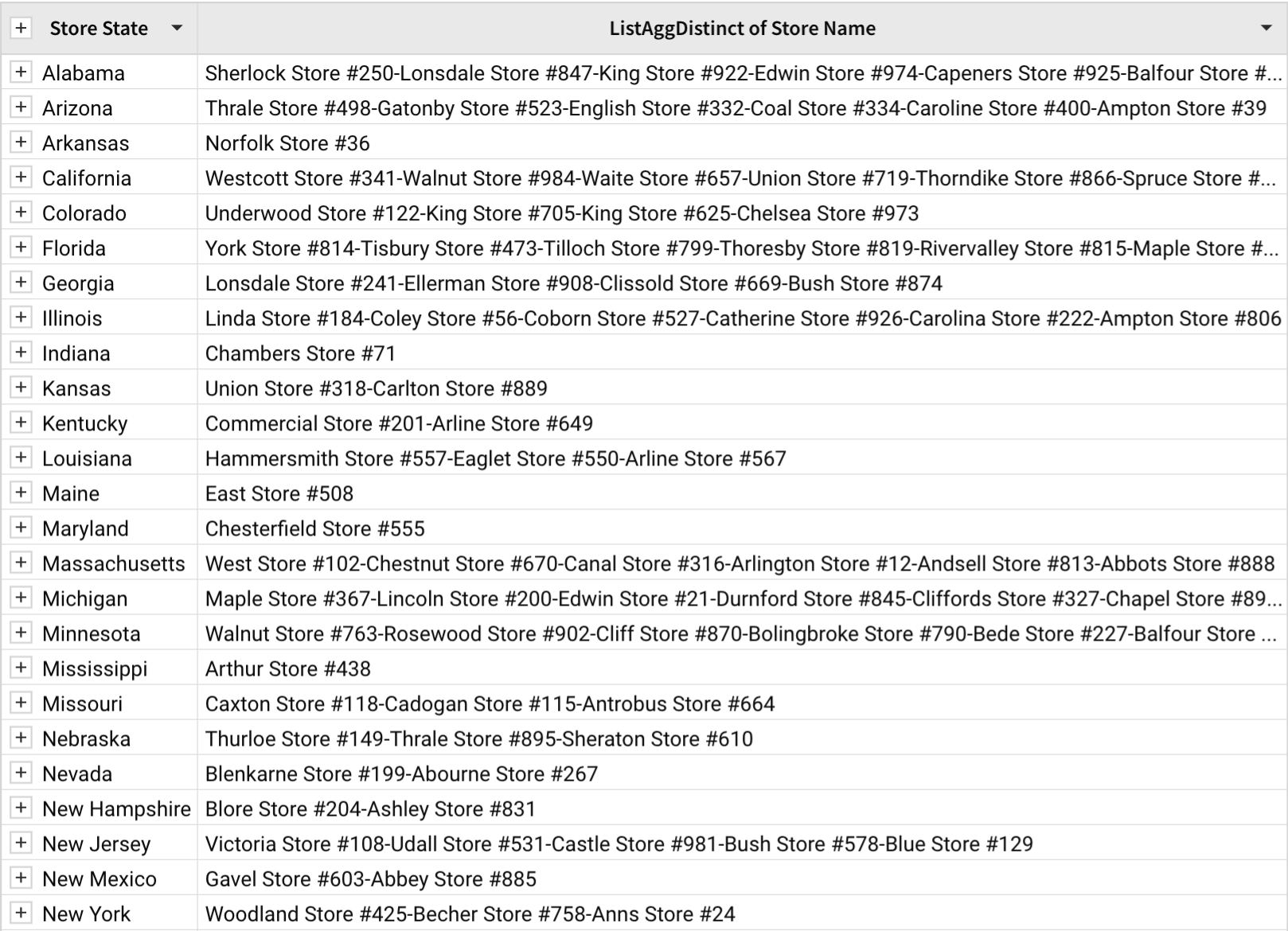
When the direction is specified as `desc`, the output is sorted in descending order.
![](https://files.buildwithfern.com/sigma.docs.buildwithfern.com/1c5fb730e54da325377e08faf7db470a4ccee3c30554fde5c47bb0b86d1f3939/assets/docs-images/d6ce1d1-33.png)

**Example 4:**

```
ListAggDistinct([Store State], "\n")
```

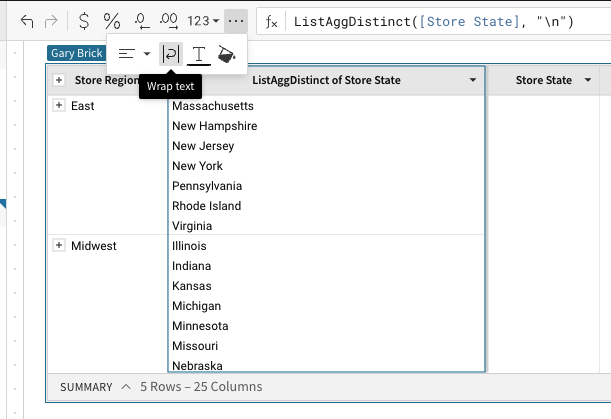
When the newline character (`\n`) is used as the separator argument, each value is displayed on its own line *if **Wrap text** formatting is applied to the column*.
![](https://files.buildwithfern.com/sigma.docs.buildwithfern.com/0499e5748c1bbbfb1a984520739c9357e673ad1e698fcf1afa714d629caff2e0/assets/docs-images/3f645ce-44.png)

## Related resources

* [ListAgg](/docs/listagg)
* [Concat](/docs/concat)